
The DeepSeek AI Assistant App is an AI-powered tool designed to help users with everyday tasks, answer questions, generate ideas, and create written content. It offers a simple chat-based experience that allows users to communicate with artificial intelligence and get assistance with different activities. Whether you are a student, blogger, developer, or general user, DeepSeek AI can help you find information and work on tasks more efficiently.
With DeepSeek AI, users can explore new topics, improve their writing, summarize information, and get help with various questions. The assistant can also support brainstorming, programming, and problem-solving. Its responses may vary depending on the question, so reviewing important information before using it is always a good idea.
What Is DeepSeek AI Assistant App?
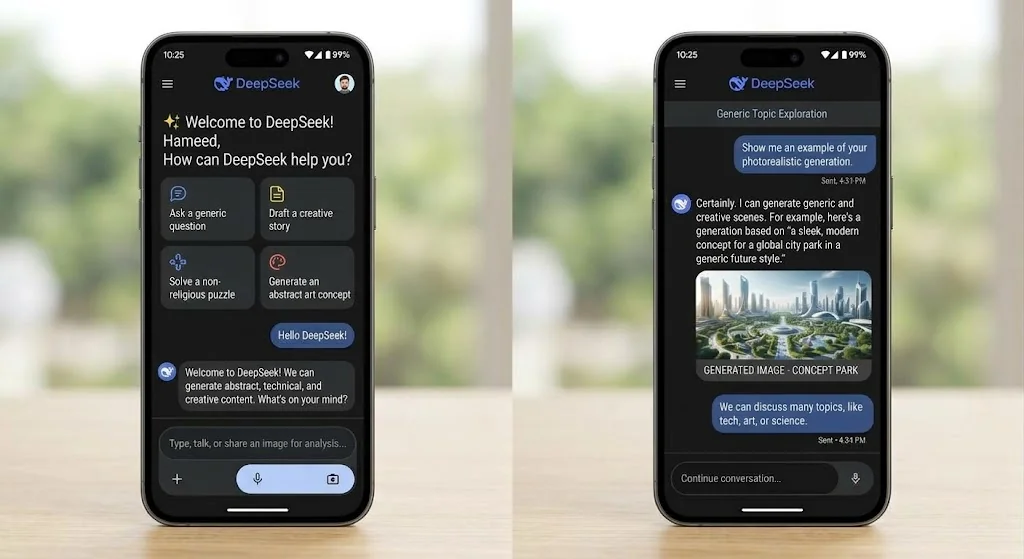
DeepSeek AI Assistant App is an artificial intelligence application that responds to user questions and instructions through a conversational interface. Users can type their requests in natural language and receive AI-generated responses on a wide range of topics. This makes it useful for people who want quick explanations, writing assistance, educational support, or help with everyday tasks.
The app can assist with content creation, coding, idea generation, text summarization, and understanding complex subjects. Users can also ask follow-up questions to explore a topic in more detail. DeepSeek is accessible through its official website and supported mobile applications, allowing users to choose a suitable way to interact with the AI assistant.
Key Features of DeepSeek AI Assistant App
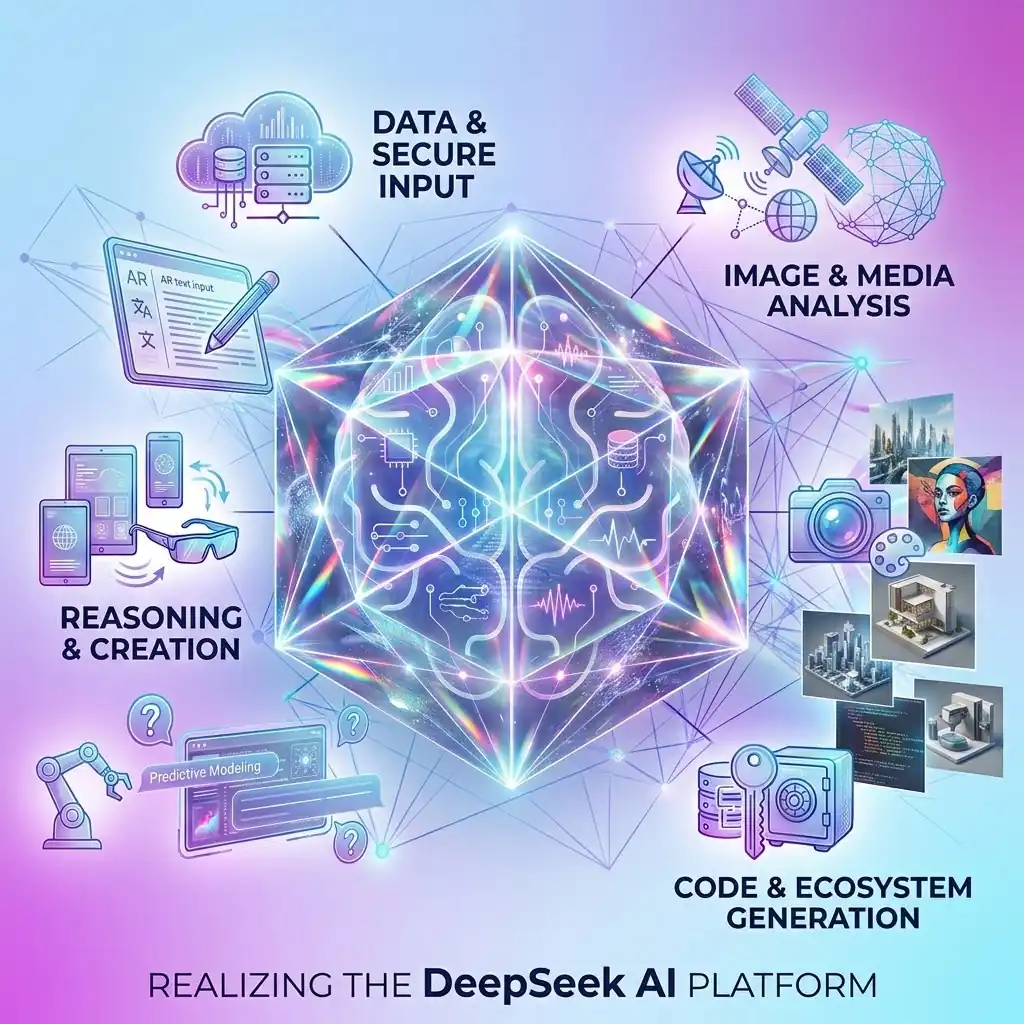
AI-Powered Chat
DeepSeek AI offers a chat-based interface where users can ask questions and receive AI-generated responses. It allows users to continue conversations, ask follow-up questions, and explore different topics according to their needs.
Content Writing Assistance
DeepSeek AI helps users create written content, improve paragraphs, develop article outlines, and generate blog post ideas. It can be useful for bloggers, students, and website owners who want to organize their thoughts and make their writing clearer.
Question Answering
Users can ask DeepSeek AI questions about education, technology, science, and general knowledge. The assistant provides explanations and helpful information to make different topics easier to understand. Important answers should be checked for accuracy.
Coding Support
DeepSeek AI can assist with programming tasks by explaining code, suggesting solutions, and helping users understand common coding errors. It can be useful for beginners learning programming as well as developers working on different coding projects.
Idea Generation
DeepSeek AI can suggest ideas for blog posts, school projects, presentations, and creative activities. Users can describe their goals and provide additional details to receive suggestions that better match their requirements.
Text Summarization
DeepSeek AI can turn lengthy text into shorter summaries that highlight the main points. This feature can help users review study notes, understand documents, and organize important information without reading every detail repeatedly.
Multilingual Assistance
DeepSeek AI can assist with various languages by responding to questions, explaining information, and helping users understand written content. Users can also request translations, although the quality of results may vary depending on the language and the complexity of the text.
Benefits of Using DeepSeek AI
- Saves time when completing daily tasks.
- Provides answers to different questions.
- Helps create articles and written content.
- Makes learning new topics easier.
- Assists with coding and programming.
- Generates ideas for different projects.
How to Use DeepSeek AI Assistant App
- Visit the official DeepSeek website Apkplayz or find its official application through a trusted app store.
- Open the website or launch the application.
- Follow the available instructions to access the service.
- Enter your question or describe the task you want help with.
- Read the response and ask follow-up questions if you need more information.
- Review the generated content and make any necessary corrections before using it.
Is DeepSeek AI Assistant App Free?
DeepSeek AI Assistant App provides users with access to AI-powered features that can help with writing, answering questions, learning, and everyday tasks. Users can access DeepSeek through its official website and supported applications. However, available features, usage limits, and access conditions may vary depending on the platform and current service policies.
Before using any third-party service that offers DeepSeek AI, make sure to check whether it charges any fees. For the most reliable information about pricing and availability, visit the official DeepSeek website. This helps you understand the available options and avoid unexpected charges from unofficial providers.
Is DeepSeek AI Safe to Use?
DeepSeek AI can be a helpful tool for general questions, educational activities, content writing, and other everyday tasks. However, like other AI platforms, it is important to use the service responsibly. Avoid sharing sensitive information such as passwords, banking details, private documents, or confidential business information during conversations.
For a safer experience, review the platform’s privacy policy and understand how your information may be handled. You should also verify important information before relying on AI-generated answers, especially when dealing with medical, financial, legal, or technical topics. Using official access channels and following basic online safety practices can help you make better use of the service.
DeepSeek AI for Students and Content Creators
DeepSeek AI can support students by explaining difficult concepts, summarizing study materials, and helping them explore unfamiliar subjects. It can also assist with brainstorming ideas, organizing notes, and preparing outlines for assignments or presentations. Students should review the answers carefully, verify important facts, and follow their school’s rules regarding the use of AI tools.
Content creators and website owners can use DeepSeek AI to develop blog post ideas, organize article structures, improve sentence clarity, and prepare initial drafts. However, the best results come from combining AI assistance with original insights, accurate information, and careful editing. Before publishing an article, review its quality, correct any inaccuracies, and ensure that the final content provides genuine value to readers.
FAQs
What is the DeepSeek AI Assistant App?
DeepSeek AI is an artificial intelligence assistant that helps users answer questions, write content, understand topics, and work on various digital tasks.
Can I use DeepSeek AI on my mobile phone?
Yes, DeepSeek can be accessed through supported mobile applications and its website, depending on availability in your region.
Can DeepSeek AI help with writing articles?
Yes, it can suggest article ideas, prepare outlines, improve paragraphs, and help organize content. You should review and fact-check the final article before publishing it.
Can DeepSeek AI answer educational questions?
DeepSeek can explain many educational topics and provide additional examples. However, some answers may contain mistakes, so important information should be verified.
Does DeepSeek AI support coding?
Yes, DeepSeek can help explain programming concepts, review code, suggest solutions, and troubleshoot certain coding problems.
Where can I access DeepSeek AI?
You can check the official website at DeepSeek.com or look for the official application in a trusted app store.
Conclusion
The DeepSeek AI Assistant App is a useful option for people who want AI assistance with writing, learning, coding, brainstorming, and everyday questions. Its conversational interface makes it easy to explore different topics and work through tasks step by step.
Whether you are a student, blogger, developer, or general user, DeepSeek can help support your workflow when used thoughtfully. For the best results, provide clear instructions, review the answers carefully, and use official sources to access the service.